
At first, the process seems simple.
A content idea is added to a spreadsheet. The writer prepares the draft in a shared document. A manager sends feedback through email. The client approves it in a messaging app. The final post is then copied into a social media scheduler.
Every tool appears to be doing its job.
But as the team produces more content, supports more clients, and manages more platforms, the process becomes harder to control.
Files become scattered. Feedback is missed. Approvals are unclear. Publishing dates move. Team members spend more time finding information than creating content.
The tools may be inexpensive.
The workflow is not.
Key Takeaways
- Disconnected tools create hidden coordination costs that grow with volume.
- Unclear ownership, scattered feedback, and informal approvals stall delivery.
- Approval and publishing should live in one content management workflow.
- Flowence centralizes the pipeline so email and sheets no longer hold everything.
The Real Cost Is Coordination
Emails, spreadsheets, and messaging apps are useful productivity tools. The problem begins when they are expected to operate as a complete content management system.
A spreadsheet can show a publishing date, but it may not show whether the content has been approved.
An email can contain feedback, but it may not confirm which version the reviewer saw.
A messaging app can provide a quick response, but that response may disappear inside hundreds of unrelated conversations.
The hidden cost comes from the work required to connect these tools manually.
Someone must constantly:
- Find the latest draft
- Copy feedback between systems
- Update content statuses
- Remind reviewers
- Confirm approvals
- Move files into publishing tools
- Check whether posts went live
Each action may take only a few minutes. Across several team members, clients, and campaigns, those minutes quickly become hours.
1. Constant Tool Switching Reduces Productive Time
A content manager may begin the day in a spreadsheet, move to email, check a messaging app, open a shared document, search cloud storage, and finally access the social media scheduler.
Every switch interrupts concentration.
The team must remember:
- Where each file is stored
- Which communication channel the client prefers
- Which document contains the latest version
- Where the final approval was given
- Which tool contains the publishing schedule
This creates mental overhead.
The team may look busy throughout the day while spending a significant amount of time locating information and rebuilding context.
The best productivity tools should reduce this effort. When they remain disconnected, they can create more work than they remove.
2. Ownership Becomes Unclear
A spreadsheet may list a post, but it does not always make the next responsibility obvious.
Has the writer finished the copy? Is the designer waiting for the headline? Has the manager reviewed the post? Is the client expected to respond? Who is responsible for moving the approved content into the schedule?
When ownership is unclear, content stops moving.
Managers then rely on manual follow-ups: “Can you confirm the status?” “Did the client approve this?” “Who is publishing it?”
A structured content management workflow should show the owner, deadline, status, and next action for every item.
Without that visibility, coordination depends too heavily on individual memory.
3. Feedback Becomes Scattered
One reviewer comments in the document. Another replies by email. The client sends a voice note. A senior manager adds a final request through a messaging app.
The creator now has several sources of feedback—and no clear indication of which instruction has priority.
This can lead to:
- Missed changes
- Repeated revisions
- Conflicting instructions
- Work completed on an outdated version
- Longer approval cycles
- Frustrated clients and creators
Feedback is most useful when it remains connected to the exact content item and version being reviewed.
Otherwise, the team spends unnecessary time reconstructing decisions.
4. Approval Becomes Difficult to Prove
A message saying “looks good” may seem like approval.
But what exactly was approved? Was it the copy only? Did the client also review the visual? Was the comment related to the newest draft or the previous one?
Informal approvals can create real risk, particularly for executive, technical, regulated, or client-facing content.
A stronger process should make it clear:
- What was submitted
- Who reviewed it
- What revisions were requested
- Whether the changes were completed
- Who provided final approval
- Which version is ready for publication
A professional approval record protects both the content team and the client.
5. Approved Content Still Gets Missed
Even after approval, the post must be transferred into the publishing calendar.
This is where another gap often appears.
The approved copy may remain inside a document while the final image sits in cloud storage. Someone must combine them, select the correct social account, choose the publishing date, and complete the social post scheduling manually.
When scheduling social media posts across several clients, this extra step increases the risk of:
- Using the wrong caption
- Uploading an outdated visual
- Selecting the wrong client account
- Missing the intended publishing date
- Posting duplicate content
- Forgetting approved content completely
A social media scheduler handles publication, but it may not connect with the planning, creation, review, and approval process that comes before it.
6. Multi-Platform Publishing Creates More Repetition
Businesses often need to schedule posts on multiple platforms.
The same campaign may require:
- A professional LinkedIn version
- A shorter post for another platform
- A different image size for Instagram
- A separate call to action for Facebook
- Different hashtags or publishing times
When the process is disconnected, each version may be stored and approved separately.
The team then copies information between documents, folders, and social media post scheduling tools.
This repetitive work increases as more platforms are added.
A connected system should keep the core campaign, platform versions, approvals, media, and publishing schedule linked together.
7. Managers Lose Visibility
A spreadsheet may show planned content, but it rarely provides a complete view of the operation.
Managers may struggle to answer:
- How many posts are waiting for review?
- Which clients are delaying approval?
- What is scheduled this week?
- Which creator has too much work?
- Which campaign is behind schedule?
- How many approved posts remain unpublished?
Without this visibility, problems are discovered late.
The team may miss a deadline before management realizes the content was waiting for approval for ten days.
Content marketing strategies are difficult to execute when leaders cannot see where the process is breaking.
8. Growth Creates More Administration
An informal workflow may function for one employee and two clients.
It becomes much harder with:
- Several creators
- Multiple managers
- Numerous clients
- Different approval contacts
- Multiple platforms
- Higher publishing volumes
Every new client adds more folders, conversations, spreadsheets, and follow-ups.
Eventually, the agency or business may hire additional administrative staff simply to coordinate a process that has become too fragmented.
The problem is not always a lack of people.
It may be the absence of a connected system.
Warning Signs Your Current Process Is Costing Too Much
Your content workflow may have outgrown its tools.
Watch for these signs:
- Team members regularly ask where files are stored
- Clients approve posts through several channels
- Managers manually update content statuses
- People work from outdated versions
- Approved posts miss their publishing dates
- Team meetings are dominated by status updates
- Client handovers require long explanations
- Nobody can see the complete content pipeline
- Adding each client creates noticeably more administration
These problems rarely disappear on their own. They usually become more expensive as content volume grows.
What a Connected Content System Should Provide
The team should be able to see the content, owner, feedback, status, deadlines, and publishing information in one connected environment.
This does not mean every existing tool must be abandoned.
It means the central workflow should no longer depend on people manually connecting information across several places.
What a Connected Content System Should Provide
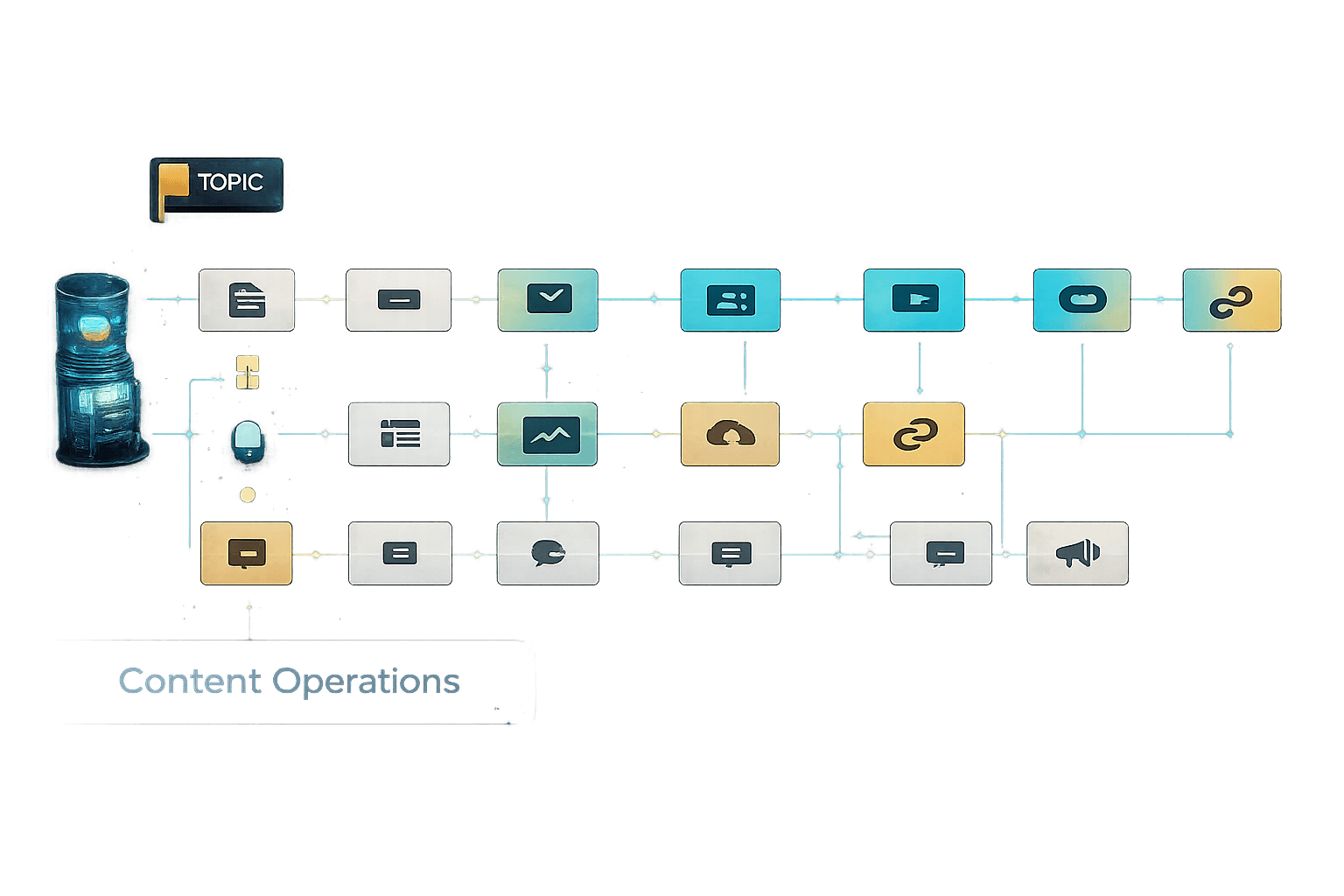
Plan → Assign → Create → Review → Approve → Schedule → Publish → Track
How Flowence Supports a More Connected Workflow
Central Planning
See owners, deadlines, and status without rebuilding context from chats.
Structured Review
Keep feedback and approvals attached to the correct content version.
Client Participation
Bring clients into the workflow without scattering decisions across apps.
Connected Publishing
Move approved posts into scheduling with visibility across platforms.
How Flowence Supports a More Connected Workflow
Flowence is Alayrix’s AI-powered content operations platform. It is designed to centralize content planning, task assignment, creation, review, approvals, scheduling, client participation, and publishing within one structured system.
The Flowence Teams workflow brings content planning, centralized operations, structured approvals, client feedback, and publishing into a connected pipeline. Its dashboard, calendar, task-management, and content-status views are intended to improve visibility while reducing scattered communication and manual follow-ups.
The goal is not simply to replace email or spreadsheets.
It is to ensure they are no longer responsible for holding the entire content operation together.
Final Thoughts
Emails, spreadsheets, and messaging apps feel inexpensive because their hidden costs do not appear on a single invoice.
They appear in:
- Lost time
- Repeated revisions
- Missed approvals
- Publishing mistakes
- Delayed campaigns
- Administrative hiring
- Employee frustration
- Poor client experiences
A growing content team needs more than a collection of useful tools.
It needs a connected process that turns ideas into assigned, reviewed, approved, scheduled, and published content without depending on constant manual coordination.
The true cost of a fragmented workflow is not the software subscription.
It is everything the team could have achieved with the time and attention it lost holding that workflow together.